



In today’s connected business environment, power interruptions are more than an inconvenience — they can lead to downtime, lost productivity, damaged equipment, and costlThe Lifecycle of a UPS: Why Proactive Power Protection Matters for Your Business
In today’s connected business environment, power interruptions are more than an inconvenience — they can lead to downtime, lost productivity, damaged equipment, and costly disruptions.
That’s why having a reliable Uninterruptible Power Supply (UPS) system is essential. But simply installing a UPS is not enough. Like any critical technology investment, UPS systems follow a lifecycle and require proper planning, monitoring, and maintenance to deliver dependable performance.
As storm seasons and unexpected outages become increasingly common, businesses must take a proactive approach to power protection. Recent industry guidance emphasizes ensuring UPS systems are operating efficiently and helping customers understand the full lifecycle of their backup power systems.
What Is a UPS and Why Does It Matter?
A UPS (Uninterruptible Power Supply) provides battery backup power during electrical interruptions. It protects sensitive devices such as:
- Servers
- Network infrastructure
- Security systems
- Workstations
- Healthcare and business-critical equipment
When power fails or voltage fluctuates, a UPS allows systems to remain operational or shut down safely, preventing data loss and hardware damage.
For businesses relying on continuous operations, UPS systems are not optional — they are part of a strong business continuity strategy.
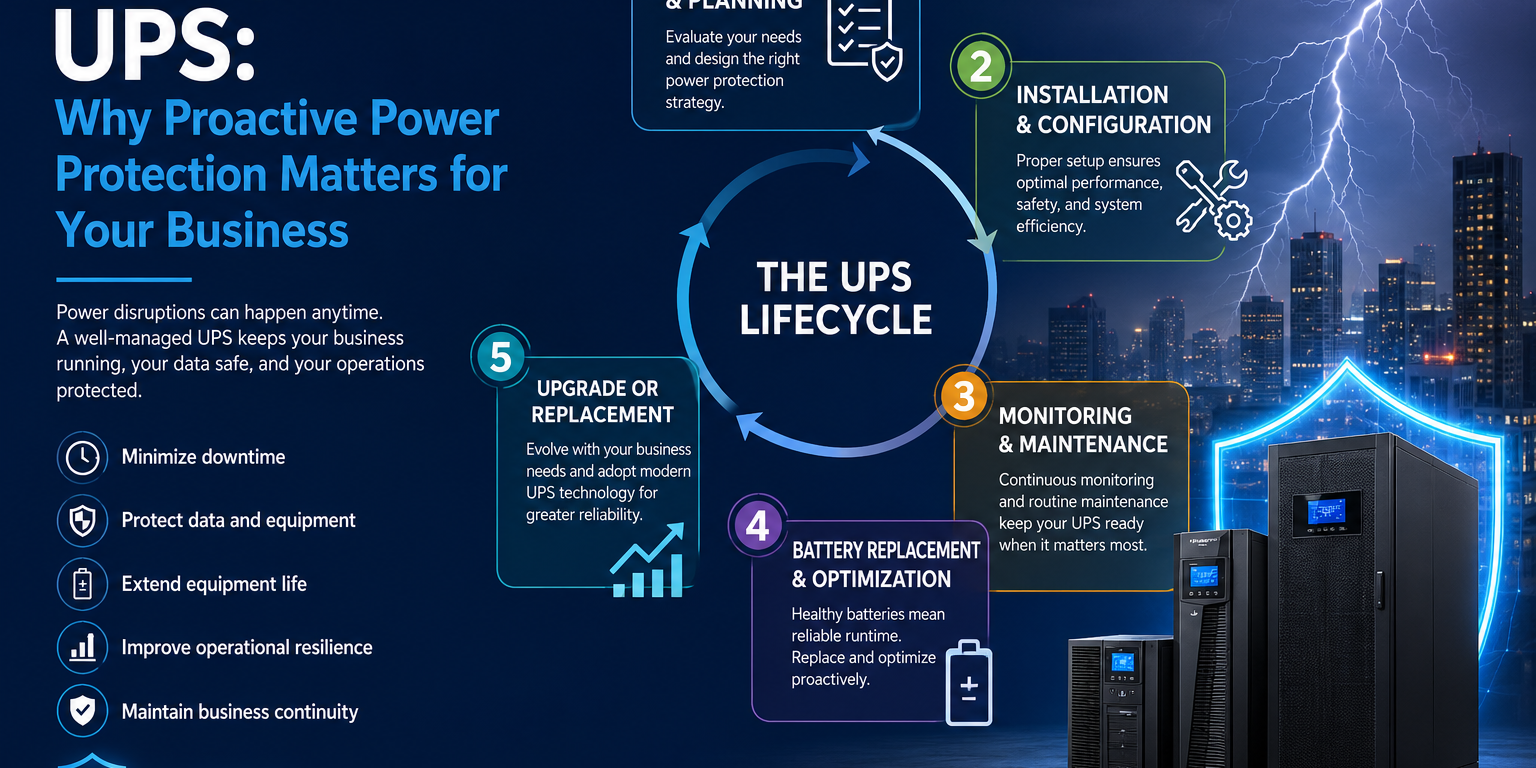
Understanding the UPS Lifecycle
Many organizations install a UPS and forget about it until something goes wrong. However, UPS systems have a predictable lifecycle that should be managed proactively.
1. Assessment and Planning
Every business has unique power requirements.
Before selecting a UPS solution, organizations should evaluate:
- Critical equipment load
- Runtime requirements
- Future expansion plans
- Environmental conditions
- Redundancy needs
Choosing the correct UPS size and configuration prevents underperformance and unnecessary costs.
2. Proper Installation and Configuration
A UPS performs best when installed and configured correctly.
This includes:
- Correct load balancing
- Safe electrical integration
- Network connectivity
- Monitoring software setup
- Surge and voltage protection configuration
Improper setup may reduce system efficiency and battery life.
3. Ongoing Monitoring and Maintenance
A UPS is not a “set-it-and-forget-it” device.
Routine maintenance is essential to ensure dependable performance.
Recommended maintenance includes:
- Battery health checks
- Firmware updates
- Load testing
- Environmental inspections
- Alert and monitoring verification
Modern UPS monitoring platforms provide real-time visibility, allowing IT teams to identify issues before they become failures.
4. Battery Replacement and Performance Optimization
Battery performance naturally degrades over time.
Warning signs may include:
- Reduced runtime
- Frequent alarms
- Charging irregularities
- Unexpected shutdowns
Proactive battery replacement protects uptime and reduces emergency replacement costs.
Many newer solutions, including lithium-based systems, offer longer lifespan and improved efficiency compared to traditional lead-acid alternatives.
5. Upgrade or Replacement
No UPS lasts forever.
As businesses grow and technology evolves, older systems may no longer meet operational demands.
Signs it may be time to upgrade include:
- Increased power load
- Aging hardware
- Frequent maintenance
- Incompatible monitoring systems
- Higher operational risk
A modern UPS solution can improve reliability, scalability, and energy efficiency.
Preparing for the Unexpected
Power disruptions rarely arrive with warning.
Storms, grid instability, and local electrical failures can interrupt operations at any time. Industry experts increasingly encourage businesses to review UPS readiness before peak outage seasons and ensure systems are performing as expected.
A proactive UPS strategy helps organizations:
- Minimize downtime
- Protect data
- Extend equipment life
- Improve operational resilience
- Maintain business continuity
Final Thoughts
Power protection is not simply about backup batteries — it is about protecting your business operations.
Understanding the UPS lifecycle allows organizations to move from reactive problem-solving to proactive infrastructure management. From planning and installation to monitoring and replacement, each stage plays a vital role in ensuring reliable power when it matters most.
At Computech1, we help businesses design, deploy, and maintain dependable power protection solutions tailored to their operational needs.Need help evaluating your UPS environment or planning for future reliability? Contact Computech1 today.y disruptions.
That’s why having a reliable Uninterruptible Power Supply (UPS) system is essential. But simply installing a UPS is not enough. Like any critical technology investment, UPS systems follow a lifecycle and require proper planning, monitoring, and maintenance to deliver dependable performance.
As storm seasons and unexpected outages become increasingly common, businesses must take a proactive approach to power protection. Recent industry guidance emphasizes ensuring UPS systems are operating efficiently and helping customers understand the full lifecycle of their backup power systems.
What Is a UPS and Why Does It Matter?
A UPS (Uninterruptible Power Supply) provides battery backup power during electrical interruptions. It protects sensitive devices such as:
- Servers
- Network infrastructure
- Security systems
- Workstations
- Healthcare and business-critical equipment
When power fails or voltage fluctuates, a UPS allows systems to remain operational or shut down safely, preventing data loss and hardware damage.
For businesses relying on continuous operations, UPS systems are not optional — they are part of a strong business continuity strategy.
Understanding the UPS Lifecycle
Many organizations install a UPS and forget about it until something goes wrong. However, UPS systems have a predictable lifecycle that should be managed proactively.
1. Assessment and Planning
Every business has unique power requirements.
Before selecting a UPS solution, organizations should evaluate:
- Critical equipment load
- Runtime requirements
- Future expansion plans
- Environmental conditions
- Redundancy needs
Choosing the correct UPS size and configuration prevents underperformance and unnecessary costs.
2. Proper Installation and Configuration
A UPS performs best when installed and configured correctly.
This includes:
- Correct load balancing
- Safe electrical integration
- Network connectivity
- Monitoring software setup
- Surge and voltage protection configuration
Improper setup may reduce system efficiency and battery life.
3. Ongoing Monitoring and Maintenance
A UPS is not a “set-it-and-forget-it” device.
Routine maintenance is essential to ensure dependable performance.
Recommended maintenance includes:
- Battery health checks
- Firmware updates
- Load testing
- Environmental inspections
- Alert and monitoring verification
Modern UPS monitoring platforms provide real-time visibility, allowing IT teams to identify issues before they become failures.
4. Battery Replacement and Performance Optimization
Battery performance naturally degrades over time.
Warning signs may include:
- Reduced runtime
- Frequent alarms
- Charging irregularities
- Unexpected shutdowns
Proactive battery replacement protects uptime and reduces emergency replacement costs.
Many newer solutions, including lithium-based systems, offer longer lifespan and improved efficiency compared to traditional lead-acid alternatives.
5. Upgrade or Replacement
No UPS lasts forever.
As businesses grow and technology evolves, older systems may no longer meet operational demands.
Signs it may be time to upgrade include:
- Increased power load
- Aging hardware
- Frequent maintenance
- Incompatible monitoring systems
- Higher operational risk
A modern UPS solution can improve reliability, scalability, and energy efficiency.
Preparing for the Unexpected
Power disruptions rarely arrive with warning.
Storms, grid instability, and local electrical failures can interrupt operations at any time. Industry experts increasingly encourage businesses to review UPS readiness before peak outage seasons and ensure systems are performing as expected.
A proactive UPS strategy helps organizations:
- Minimize downtime
- Protect data
- Extend equipment life
- Improve operational resilience
- Maintain business continuity
Final Thoughts
Power protection is not simply about backup batteries — it is about protecting your business operations.
Understanding the UPS lifecycle allows organizations to move from reactive problem-solving to proactive infrastructure management. From planning and installation to monitoring and replacement, each stage plays a vital role in ensuring reliable power when it matters most.
At Computech1, we help businesses design, deploy, and maintain dependable power protection solutions tailored to their operational needs.Need help evaluating your UPS environment or planning for future reliability? Contact Computech1 today.