


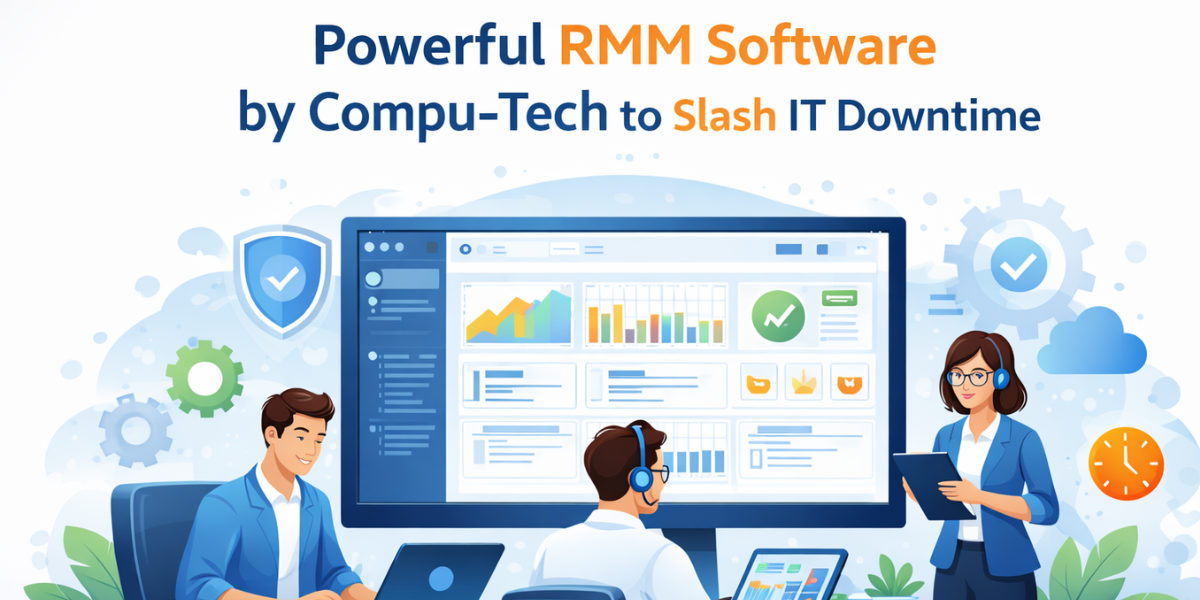
Remote Monitoring and Management (RMM software) helps businesses control IT systems with ease. Compu-Tech, Inc’s RMM solution allows IT teams to monitor devices, fix issues quickly, and reduce downtime.
As a result, systems run better, security improves, and IT costs stay under control.
What Is RMM Software?
RMM software lets IT teams manage computers and servers from one place. Instead of waiting for problems, teams spot issues early.
Therefore, IT teams work faster and keep operations predictable.
Common Business Uses of RMM Software
CTI RMM supports many daily IT tasks.
For example, IT teams fix problems without interrupting users.
In addition, teams manage servers and PCs across multiple locations from one platform.
Meanwhile, remote access allows teams to support devices without travel.
As a result, fewer tools are required, which lowers overall IT costs.
Because of this, IT teams keep operations simple, efficient, and reliable.nt.
How RMM Software Improves Business Performance
RMM software allows IT teams to manage systems remotely. Admins log in securely and resolve issues from anywhere.
As a result, work gets done faster and with less effort.
How RMM Software Saves Time and Reduces Costs
First, RMM saves time. IT teams no longer travel to fix small issues. Problems are solved right away.
Second, RMM cuts costs. One tool replaces several IT solutions. Therefore, software and support expenses drop.
Improve the End-User Experience
When systems slow down, users feel the impact. RMM tools detect issues early.
Because of this, users face fewer outages and delays. Productivity stays high.
Gain Clear System Visibility
CTI RMM shows system health in real time. IT teams track:
- CPU and memory usage
- Disk space
- Running processes
As a result, problems are spotted before systems fail.
Monitor Systems at All Times
Continuous monitoring helps prevent downtime. CTI RMM watches all devices from one dashboard.
For example, offline systems trigger instant alerts. Therefore, IT teams act fast.
Automate Routine Maintenance
Routine tasks take time. However, RMM automates them.
With CTI RMM, IT teams schedule:
- Software installs
- System updates
- Script execution
As a result, teams focus on important work instead of manual tasks.
Strengthen IT Security
RMM improves security across all systems. IT teams find missing patches and apply updates quickly.
In addition, antivirus alerts appear in one place. Because of this, threats are handled faster.
Prevent Data Loss and Failures
One system failure can affect others. For example, a server crash can stop connected apps.
RMM tools detect these risks early. Even when local access fails, remote access often still works. Therefore, recovery happens sooner.
Reduce Downtime
Downtime costs money. That is why early alerts matter.
CTI RMM monitors critical systems and sends instant notifications. As a result, IT teams fix issues before they grow.
Why Choose Compu-Tech, Inc?
CTI RMM gives full control of your IT environment. IT teams see system data, manage updates, and protect devices from one place.
In addition, CTI Connect allows one-click remote access. Therefore, extra remote tools are no longer needed.
Final Thoughts
Compu-Tech, Inc’s RMM software makes IT management simple. It improves visibility, boosts security, and reduces downtime.
As a result, businesses run smoother, faster, and with fewer IT problems.